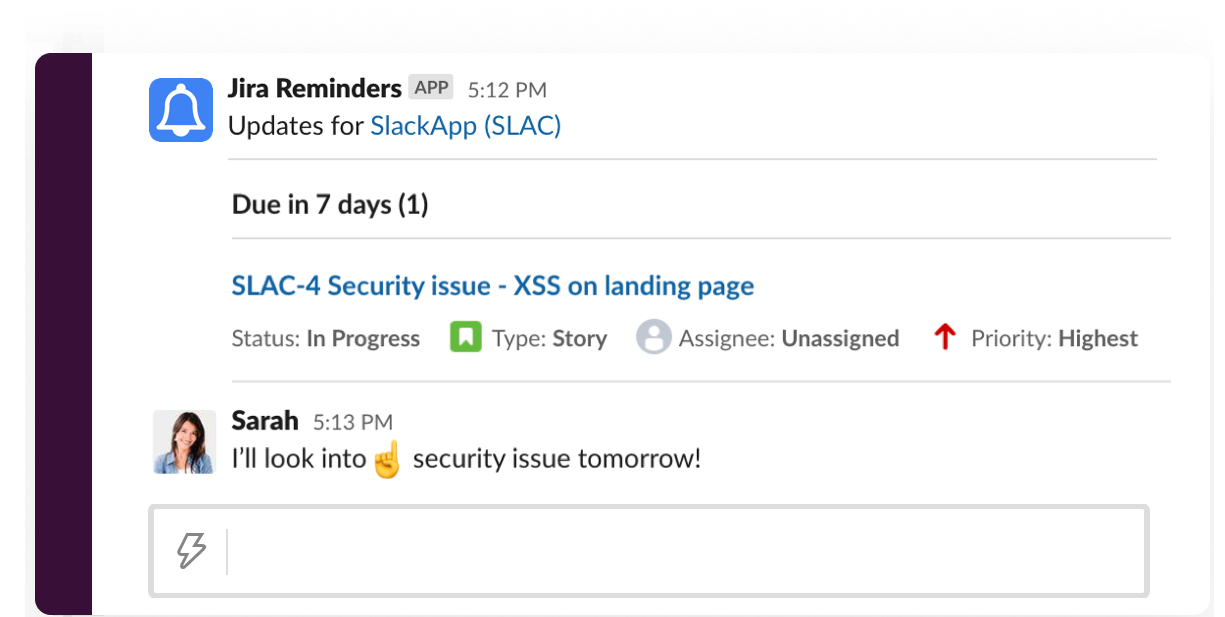
Getting Notified in Slack
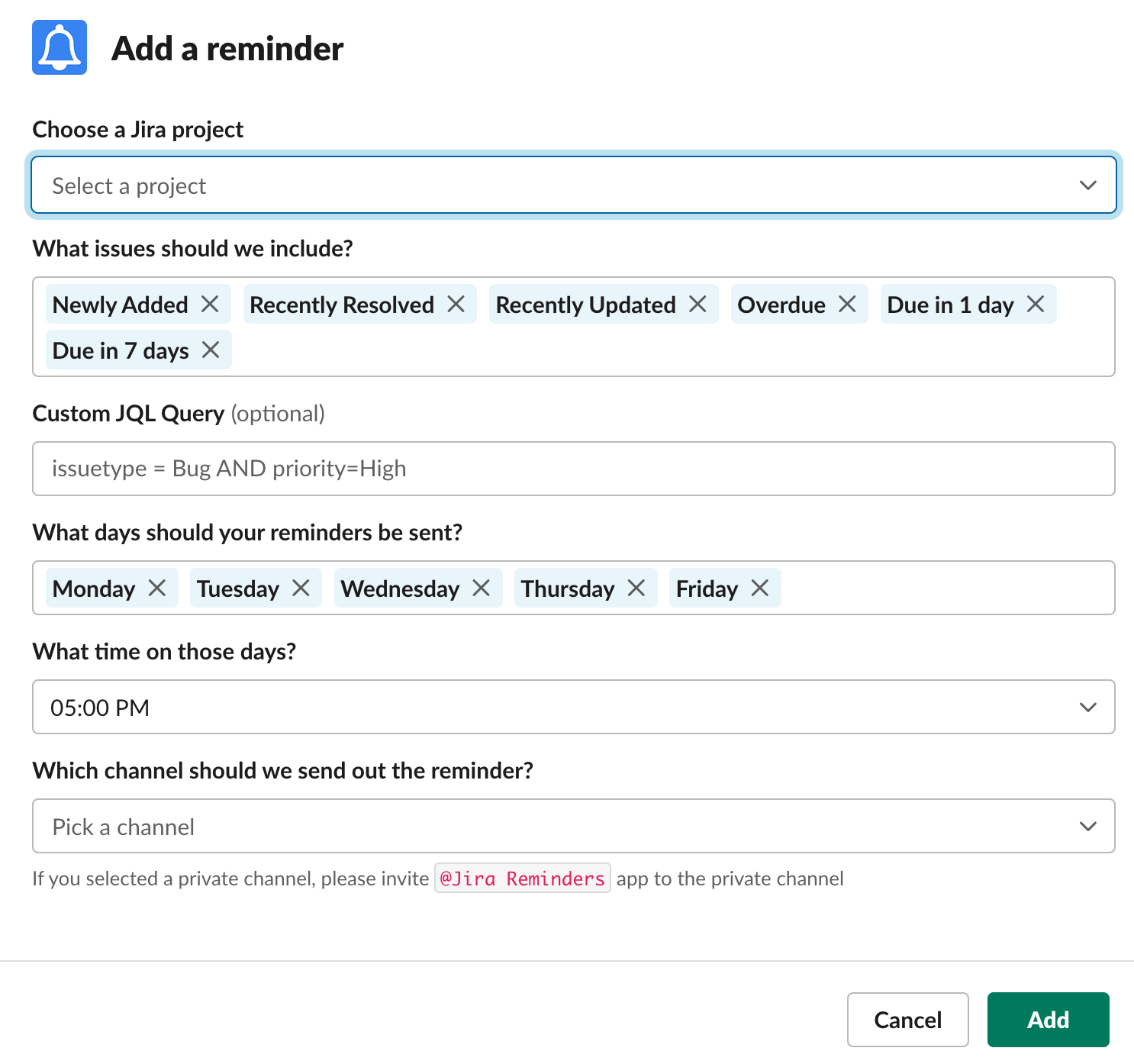
With Jira Reminders, you can get daily summaries and notifications for issues you care about. You can configure reminders for pre-configured issue types including Newly Added, Recently Resolved, Overdue, Due in 1 day, Due in 7 days, or your custom issues using Jira Query Language (JQL).
Once you've installed Jira Reminders and connected your Jira account, you can set up notifications in Slack by following these steps. :
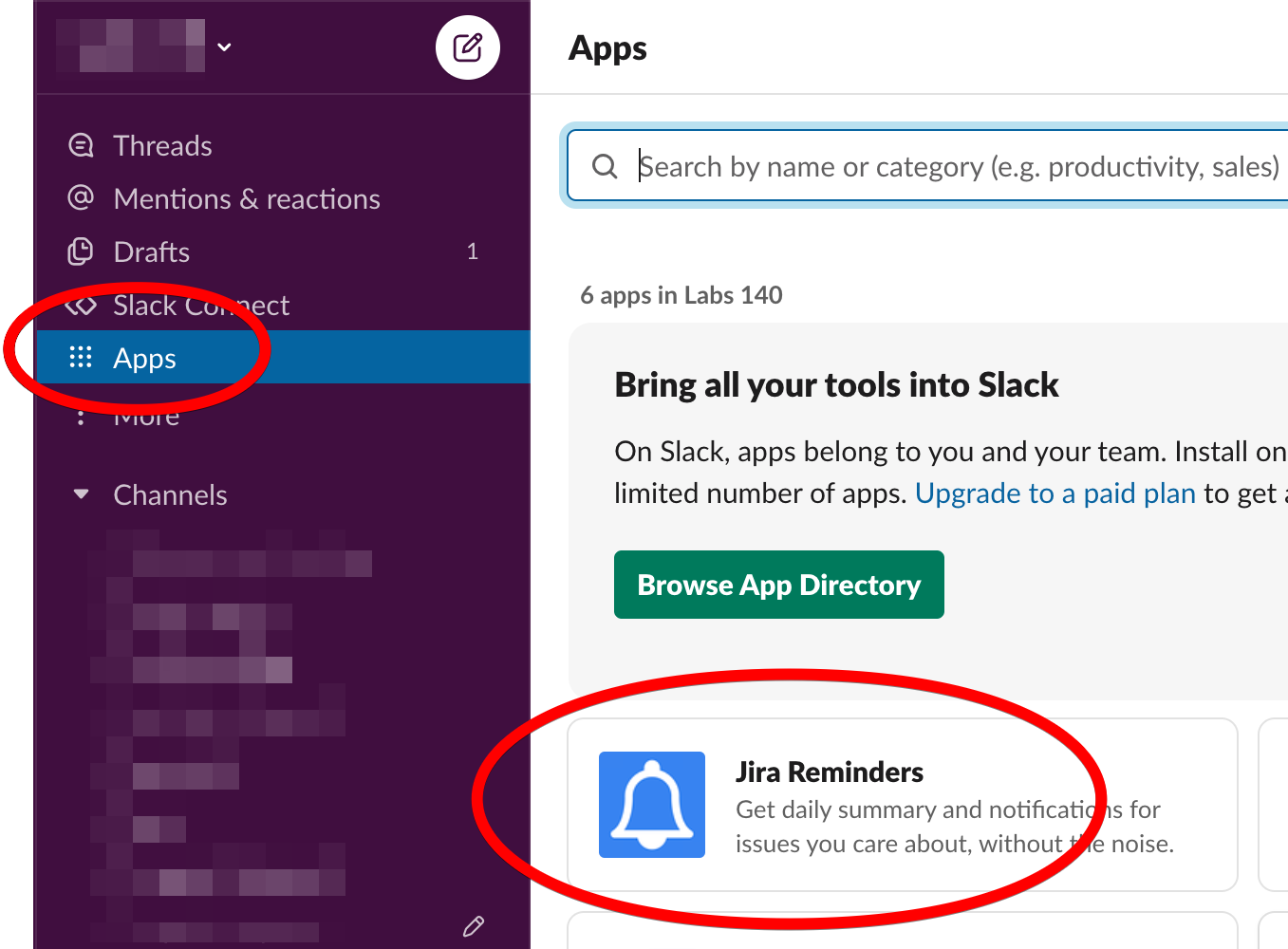
1. Open Jira Reminders app in Slack
Find Jira Reminders in your "Apps" tab in Slack and go to the app.
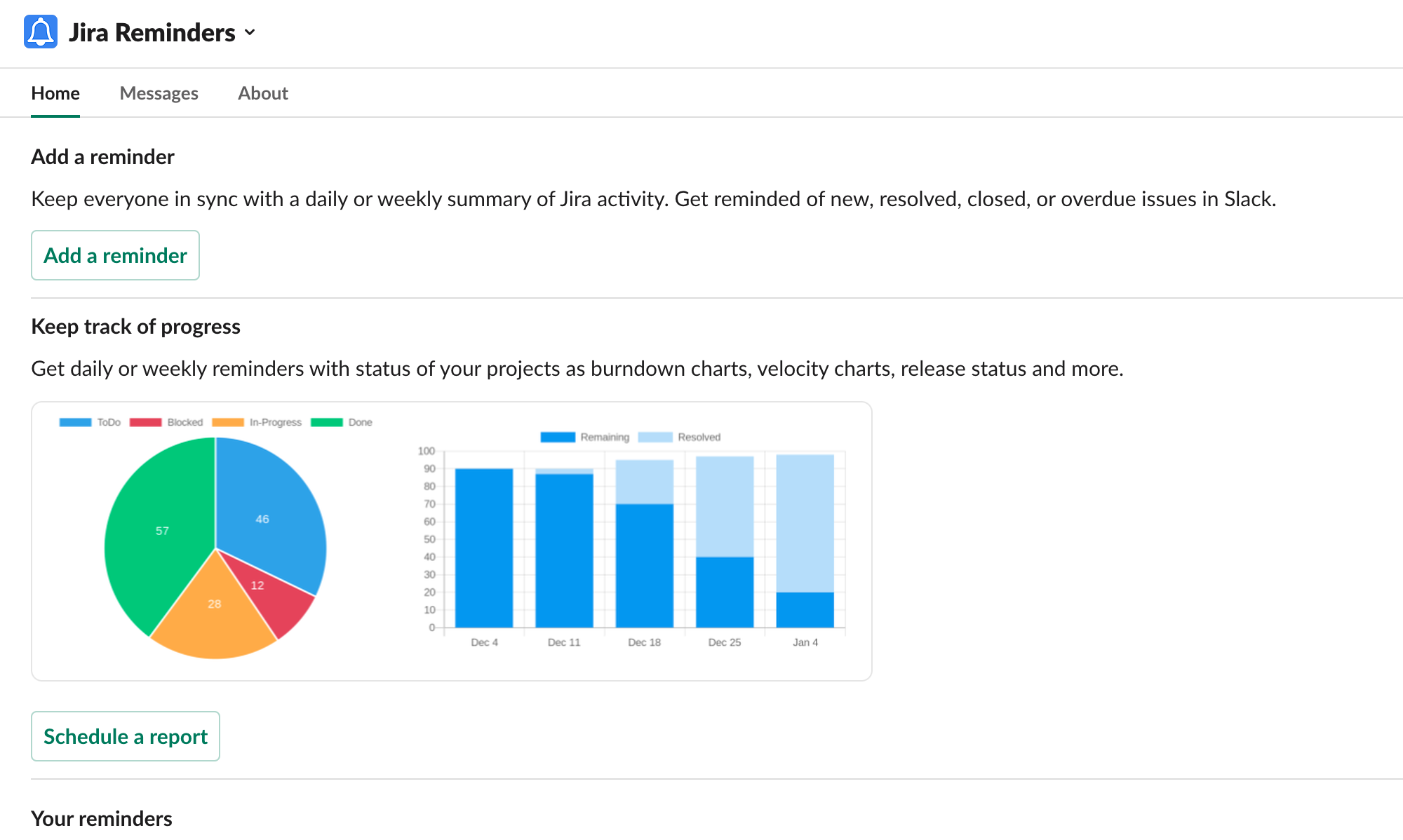
2. Start by clicking "Add a reminder"
3. Finally, add your reminder configuration
Once you configure notifications, you will start receiving them in your channel as below: